

Oct 15, 2026 ·
Black Friday falls on November 27, 2026, with Cyber Monday on November 30. In the busiest shopping week of the year, many visitors to your store have never heard of you. They found you through an ad, a deal site or a gift guide, and before they buy from a brand they don't know, they scroll down to see what other customers said.
That means the reviews that sell your products on Black Friday have to be collected now, in October and early November. A review asked for on November 25 won't arrive in time to help.
This playbook covers the whole season:
- When to ask before, during, and after the rush
- What to send, with email and SMS templates you can copy
- Where to show reviews so holiday traffic turns into orders
- How to reply when reviews pile up, including the bad ones
- How to stay on the right side of the FTC while you do all of it
When to ask: the 5-phase timeline
Starting late? Combine weeks 6 and 5 and send your first review requests this week.
The reviews that sell on Black Friday come from orders placed now. Black Friday buyers themselves should only hear from you once their parcel has arrived in December.
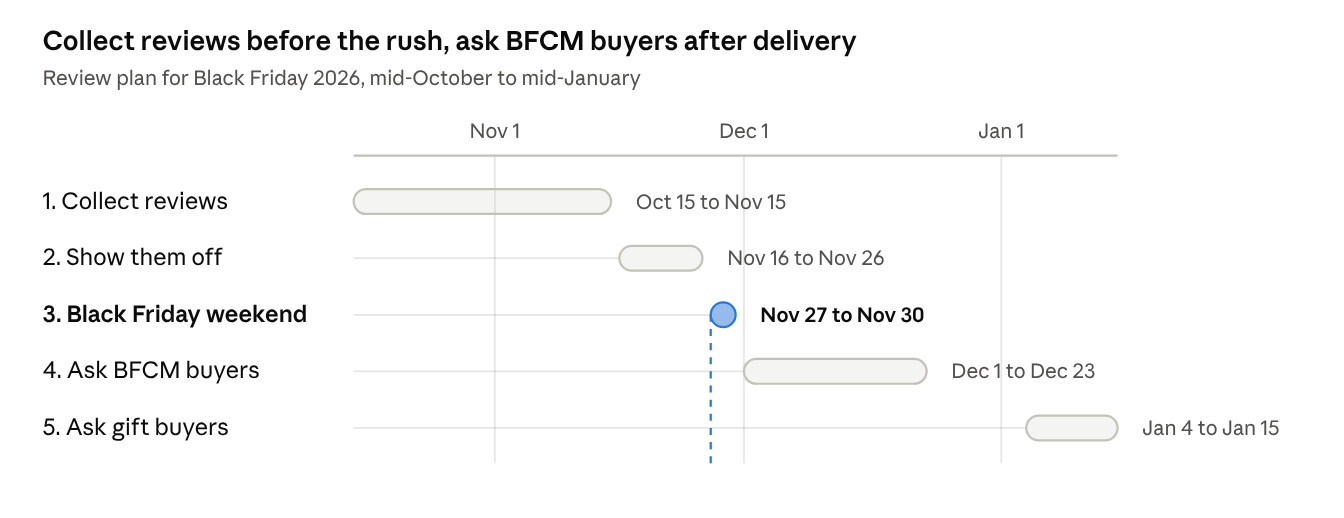
Black Friday review timeline · 5 phases
- Now to November 15: collect. Ask everyone who ordered since October 1, once their order has arrived. Focus on the 5 to 10 products you'll promote hardest, so they have fresh reviews when early deals go live.
- November 16 to 26: show them off. Keep requests running, but put your effort into displaying reviews where shoppers decide (see below).
- Black Friday weekend: don't ask new buyers yet. Their orders haven't shipped. Use the weekend to reply to reviews and keep up with support.
- December: ask Black Friday buyers after delivery. Carriers are slower in peak season, so a request timed for a normal week can arrive before the parcel. Lengthen your delay to 10 to 14 days after purchase, and stop sending around December 23 so your emails don't land on Christmas.
- Early January: ask gift buyers. Many Black Friday orders were gifts. Use template 5 below to ask how the gift went.
The rule of thumb: time every request from delivery, not purchase. A request that arrives before the product annoys the customer and gets no review. For more on timing, see our post-purchase review request timing guide.
With Kudobuzz: review request emails go out automatically after every order, so phases 1 and 4 run on their own once your templates are set up.
What to send: 5 templates you can copy
Short beats clever. Each template below asks for one thing, links straight to the review form, and stays neutral: it asks for an honest review, not a good one. Swap in your own store name and voice.
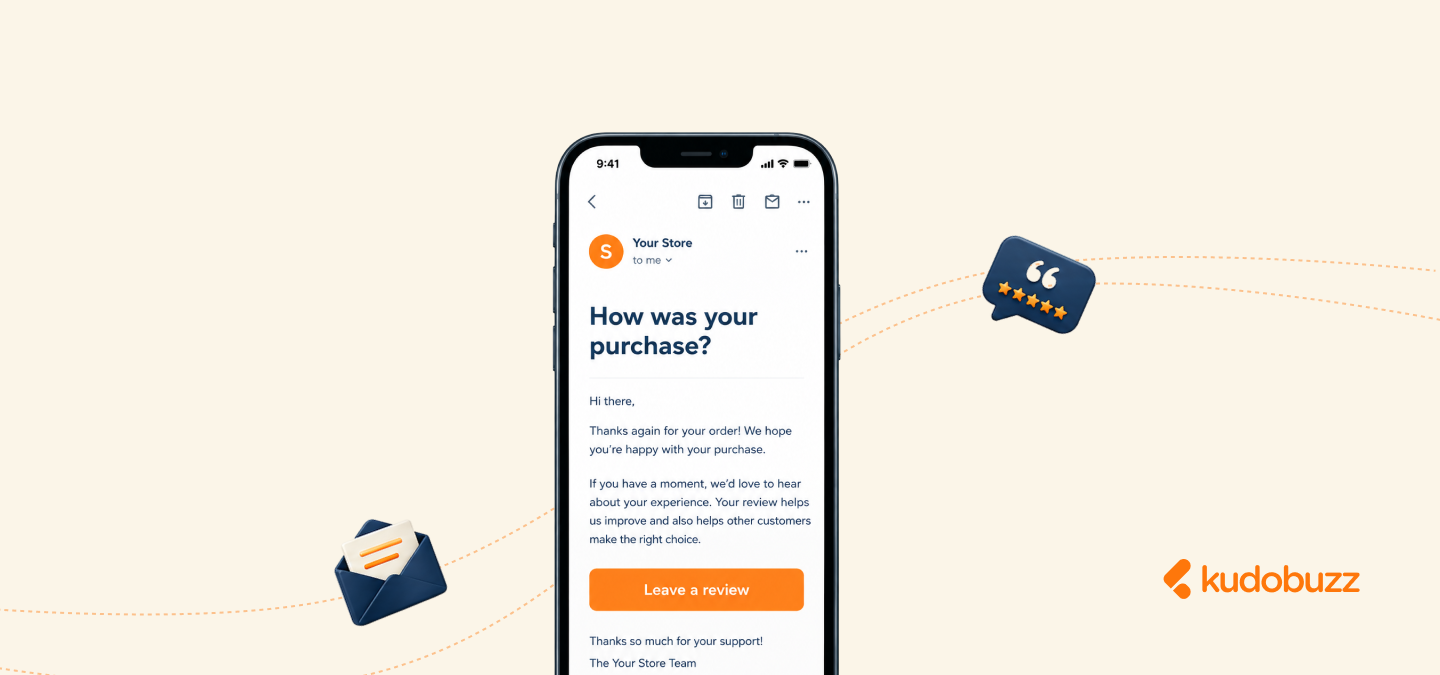
1. The pre-Black Friday ask (email)
Send this to everyone who ordered in October and early November, once their order has arrived.
Subject: How's your {product_name}, {first_name}?
Hi {first_name},
Your {product_name} should have arrived by now. We'd love to know how it's working out. Your review takes about a minute, and it helps other shoppers decide whether it's right for them.
[Leave a review]
Thanks for shopping with us,
{store_name}
2. The photo review ask (email)
Photo reviews show holiday shoppers the real size, color and quality, which is exactly what a first-time buyer is unsure about.
Subject: Show us your {product_name}?
Hi {first_name},
Shoppers trust real photos more than ours. If you have a second, snap a picture of your {product_name} and add it to an honest review.
[Add a photo review]
As a thank you, every review with a photo gets {reward}, whatever you rate us.
{store_name}
Keep the last line if you offer a reward. The phrase "whatever you rate us" matters: it makes clear the reward doesn't depend on a good rating (more on that in the FTC section).
3. The reminder (email)
Send one reminder, 5 to 7 days after the first ask, only to customers who haven't reviewed yet. One is enough.
Subject: Quick favor, {first_name}?
Hi {first_name},
Just a reminder: if you have a minute, we'd really value your thoughts on your {product_name}.
[Write a review]
{store_name}
4. The SMS version
For customers who opted in to texts. Keep it under 160 characters.
{store_name}:
Hi {first_name}, how's your {product_name}?
An honest review takes a minute and helps other shoppers:
{review_link}
Reply STOP to opt out
5. The gift buyer ask (email, early January)
Many Black Friday orders are gifts, so the buyer can't tell you how the product works. Wait until after the holidays and ask about the gift instead.
Subject: How did the gift go, {first_name}?
Hi {first_name},
You picked up a {product_name} from us during Black Friday. If it was a gift, we hope it was a hit. We'd love to hear how it went, from you or from whoever got it. Feel free to forward this email.
[Leave a review]
Happy New Year,
{store_name}
With Kudobuzz: load template 1 into Kudobuzz's automated review request emails once, and every new order gets its ask without any manual work. Kudobuzz collects photo reviews too, so you don't need a separate tool for template 2.
Where to show reviews so holiday traffic converts
Collecting reviews is half the job. Black Friday shoppers move fast and compare tabs, so put proof wherever they decide, not only at the bottom of the product page.
- In Google search results. Star ratings on Google Shopping listings catch shoppers before they reach any store. Your reviews need to be sent to Google Product Ratings for that to happen.
- On collection and sale pages. Stars under each product thumbnail help shoppers pick between deals at a glance. Put them on your Black Friday landing page too.
- Near the Add to Cart button. A star rating and review count next to the price answers "is this any good?" right where the decision happens.
- On the homepage. A carousel of recent reviews shows first-time visitors that real people buy from you. Pick reviews that mention gifting, fast shipping or quality.
- In your Black Friday emails. Add a short customer quote under each featured deal. It does more than another "50% off" banner.
- As photos and videos. Customer photos and short clips from TikTok or Instagram on the product page show the product in real homes, which studio shots can't do.
New store, or most of your reviews live elsewhere? Bring them over before the rush. Reviews from Google, Amazon or Etsy can count on your own product pages too.
With Kudobuzz: your reviews can show on Google Shopping, and the review widgets can be customized to match your store. Kudobuzz can also import your existing reviews from Google, Amazon, Etsy and more, and the Kudobuzz Shoppable UGC app puts tagged TikTok and Instagram videos on your product pages.
How to reply when reviews pile up
December brings more reviews, and some will be about late parcels, not your product. Shoppers read replies, so a calm, quick reply to a bad review can earn more trust than ten 5-star ones.
- Reply to every review of 3 stars or less within 48 hours. Reply to positive reviews as time allows.
- Prepare 3 or 4 reply drafts now, for late delivery, damaged item, wrong size and "not as expected". Then personalize each one with a line about the actual order.
- Take the fix offline. Apologize publicly, then move the details to email.
- Never hide or delete honest negative reviews. It's against the FTC rule (see below), and shoppers trust a 4.6 rating with a few critical reviews more than a perfect 5.0.
A reply template for the most common holiday complaint:
Hi {first_name}, we're sorry your order arrived late. Holiday shipping is no excuse when you're counting on a gift. We've emailed you to make it right, and we're glad the {product_name} itself was worth the wait.
For more replies you can copy, see our negative review response templates and, for the happy ones, 10 ways to say thank you for a 5-star review.
Stay FTC-compliant: 5 rules for the rush
The FTC's rule on consumer reviews (16 CFR Part 465) has applied since October 2024, and penalties can reach $53,088 per violation. The pressure of Black Friday is exactly when shortcuts look tempting, so keep these five rules in front of your team:
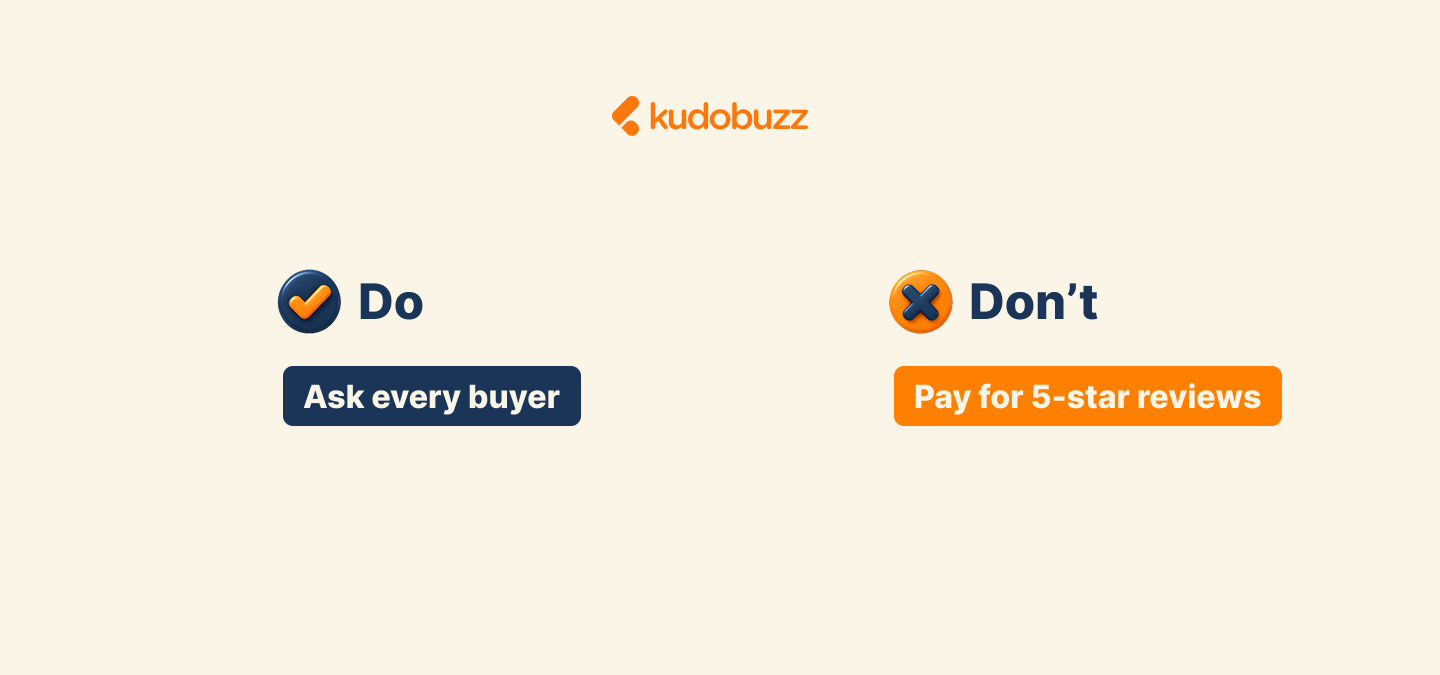
- Never tie a reward to a rating. "Get 10% off for a review" is fine. "Get 10% off for a 5-star review" is not, and neither is a reward that only implies you want a good one.
- Ask every customer, not just the happy ones. Sending review requests only to buyers you expect to be positive ("review gating") gives shoppers a distorted picture, and Google bans it for its reviews too.
- Publish the bad with the good. You can filter spam, abuse and off-topic posts, but don't hold back honest negative reviews.
- No fake or AI-written reviews. Not from staff, friends, paid services or a chatbot. Reviews from employees or relatives must say so.
- Disclose rewards. If reviewers got a discount or a free product, say so next to the review.
This is general guidance, not legal advice. Sources: Goodwin summary of the final rule, Venable on FTC enforcement.
Your Black Friday review checklist
Six weeks is enough time to go into Black Friday with fresh reviews on your best sellers. Work through this list this week:
- Set up automated review requests, timed from delivery rather than purchase
- Send template 1 to everyone who ordered since October 1
- Turn on photo and video reviews, and decide on a rating-neutral reward
- Import your reviews from Google, Amazon or Etsy
- Send your reviews to Google Product Ratings
- Add star ratings to collection pages and your Black Friday landing page
- Write 3 or 4 reply drafts for holiday complaints
- Schedule template 5 for early January
- Brief your team on the 5 FTC rules
Kudobuzz handles most of this list for you: automated review request emails, photo reviews, imports from Google, Amazon and Etsy, reviews on Google Shopping, and customizable widgets. Try it free for 14 days and have it running well before the rush.